"What is the timing on bulk cancels? Can we give our customer beta access when it's ready?"
VP of Strategic Accounts, CareRevLeadership was already thinking about who'd get it first.
I designed a workflow flexible enough to handle the scale and complexity of how each health system manages staffing.
"What is the timing on bulk cancels? Can we give our customer beta access when it's ready?"
VP of Strategic Accounts, CareRevLeadership was already thinking about who'd get it first.
Tracked by the CSM team and product manager. Pre-launch baseline (prior 3 months) vs early post-launch.
Our largest health system customers needed to cancel hundreds of nursing shifts at a time, but the tool only let them do it one by one.
Four things were broken about the existing workflow:
Three things the redesign needed to do.
| Ownership | Customers cancel shifts on their own. CareRev stops being the help desk. |
| Speed | Cancel hundreds of shifts at a time. |
| Confidence | Show cancellation fees and risks before anything goes through, so customers know what they're committing to. |
CareRev's business depended on a few large health systems. The company kept them happy by building what they asked for, when they asked for it. After enough rounds, the product was a stack of one-off features that didn't fit together for anyone, but the team rarely pushed back.
I drew two diagrams of the workflow: the existing flow, and what it needed to be. Both shaped the design.


"I had to cancel 800 shifts one-by-one. I had to drop what I was doing because it was a time-sensitive task."
Customer Success Manager
We were the help desk.
Two directors with different vantage points heard the same thing.
"They don't see us as a partner, they see us as a vendor."
Director of Strategic Accounts
"Staffers don't want to go through five different pages to make changes and hover a million times to find and compare shift info."
Director of Implementation
Staffers needed to handle their own scheduling. CareRev gets to show up as a partner, and staffers get their time back.
I ran an in-app Sprig survey on the existing flow.
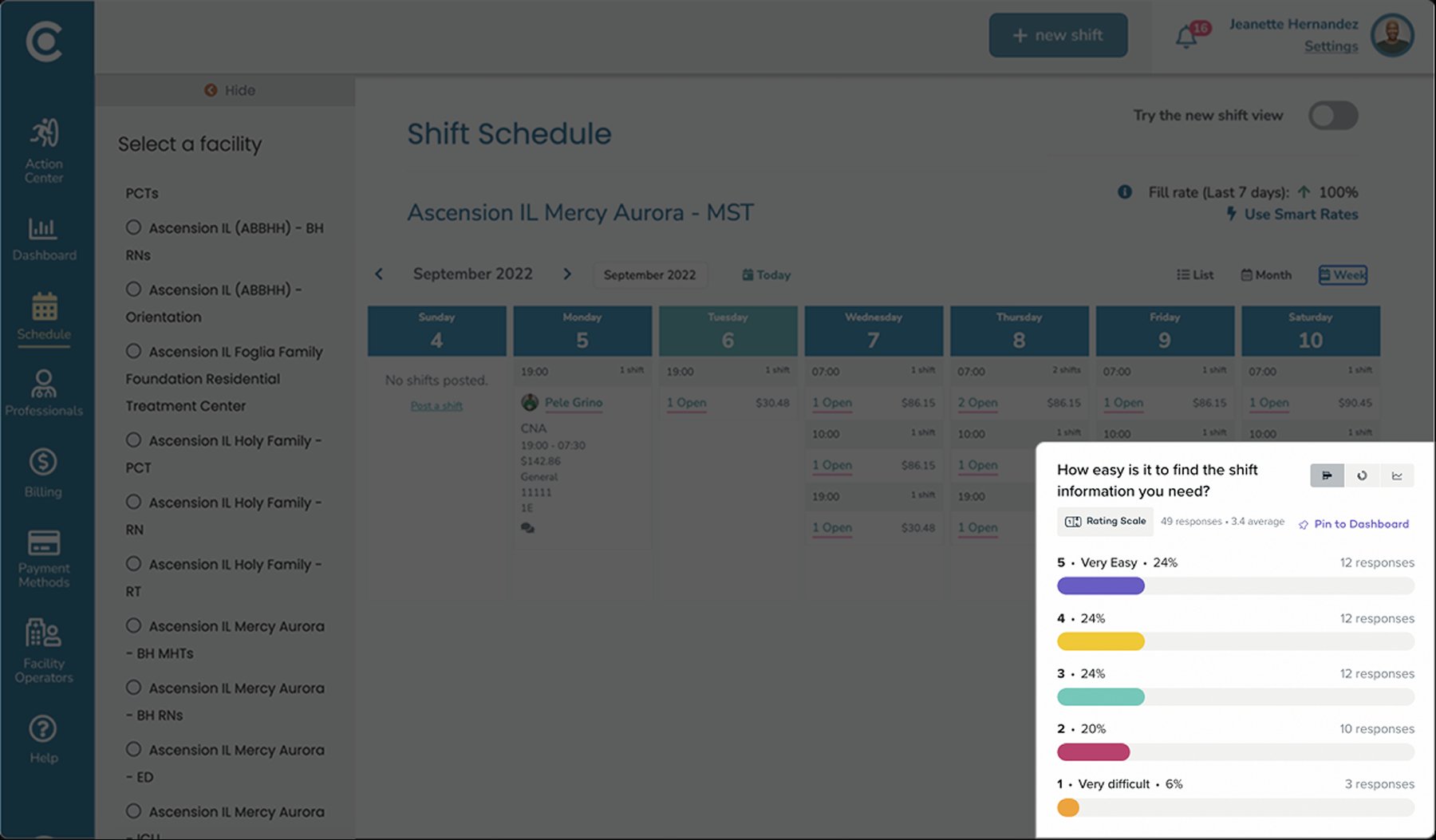
The numbers didn't match what I was hearing in conversations, so I brought them to the Director:
"Once you get used to it, it's super easy."
Director of Implementation
What she meantSuper easy ≠ optimal UX.
Super easy = I've become used to navigating this broken system.
Every health system ran staffing differently.
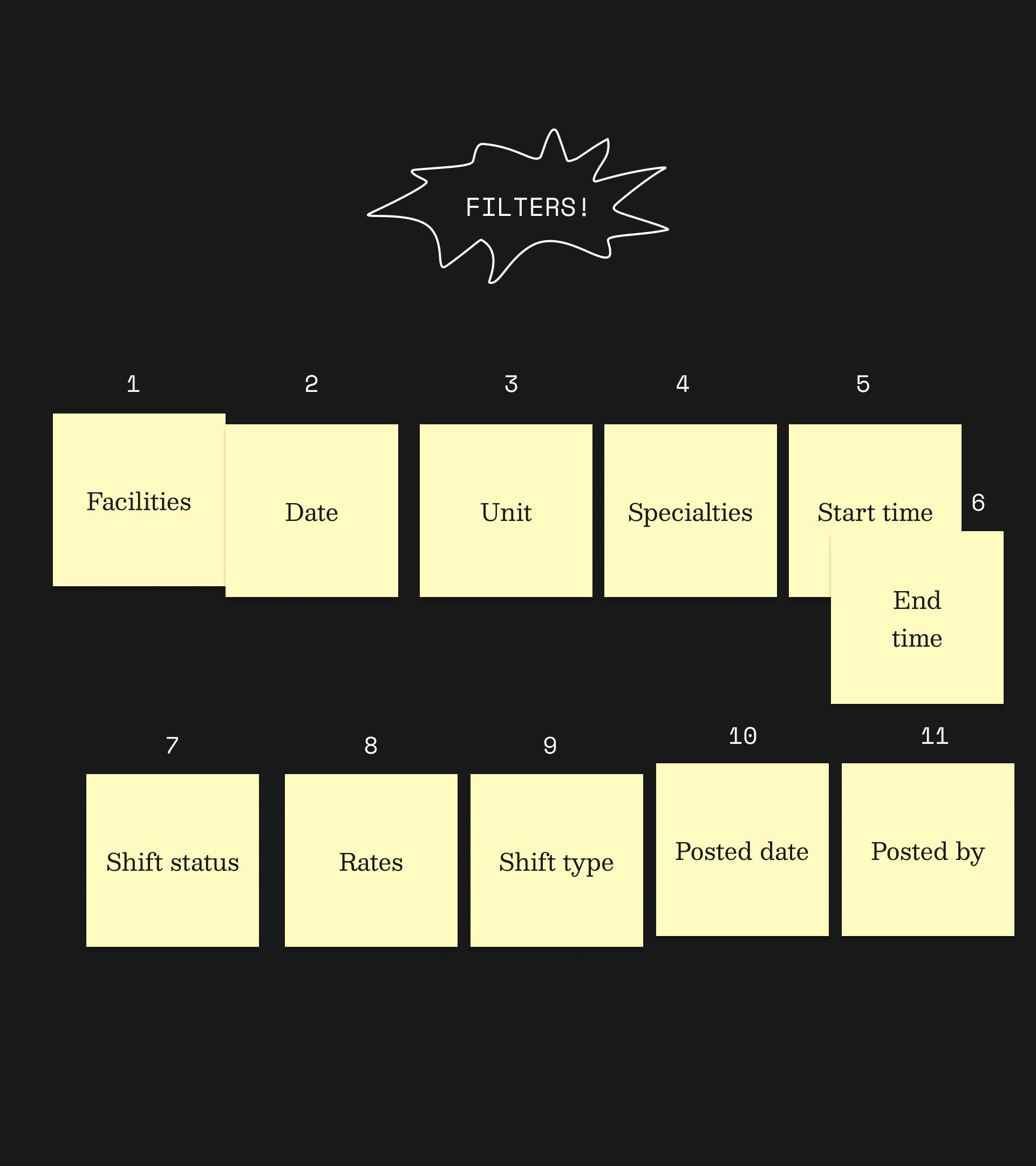
Group sessions with stakeholders told me filters were the biggest variance. They had requested 11. We sorted and prioritized them together, and shipped the top four in v1.
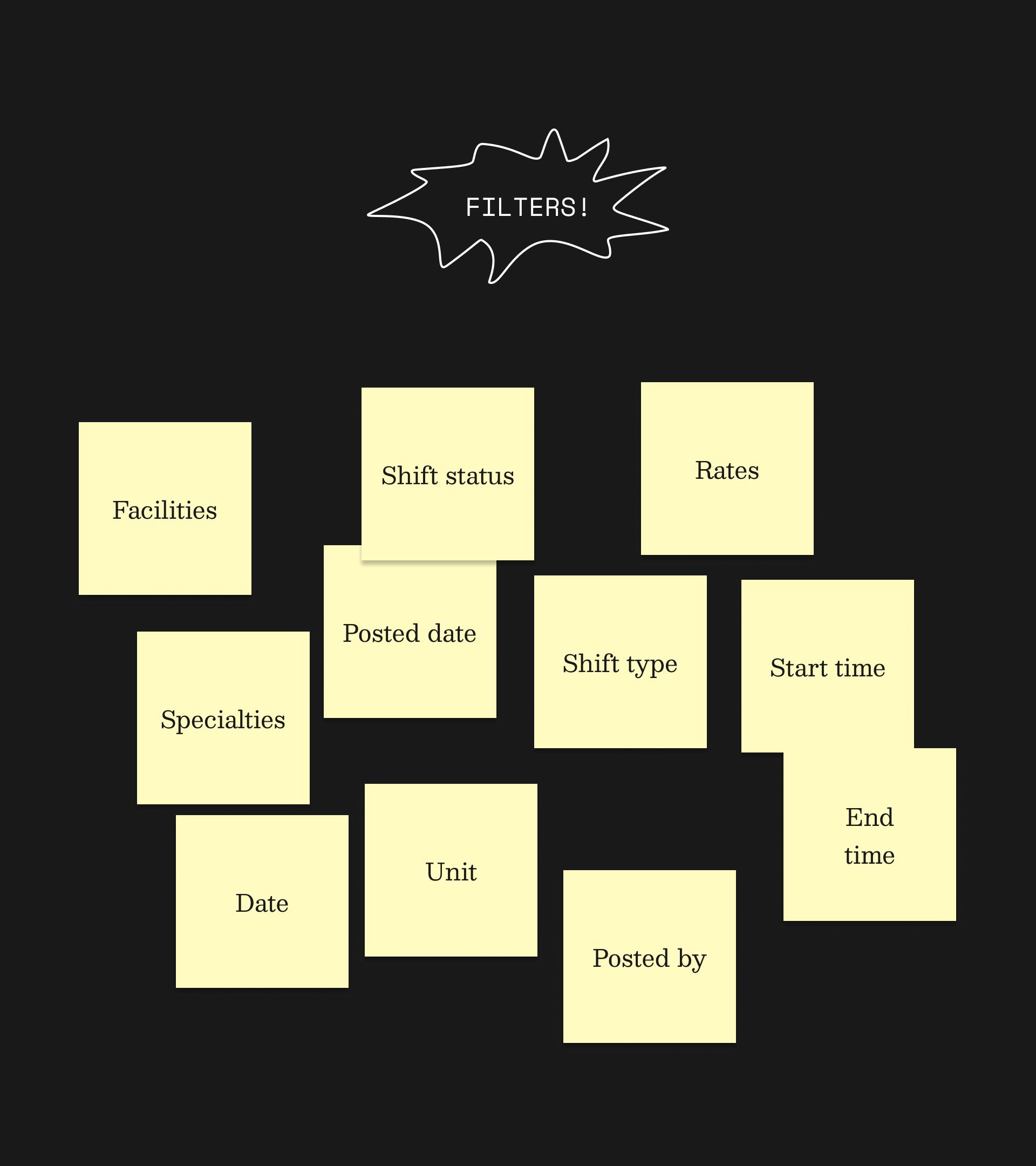
By the end of my working session, stakeholders were bringing in their own ideas: task-specific filter combinations and automated CSV reports. Both were planned for later versions.
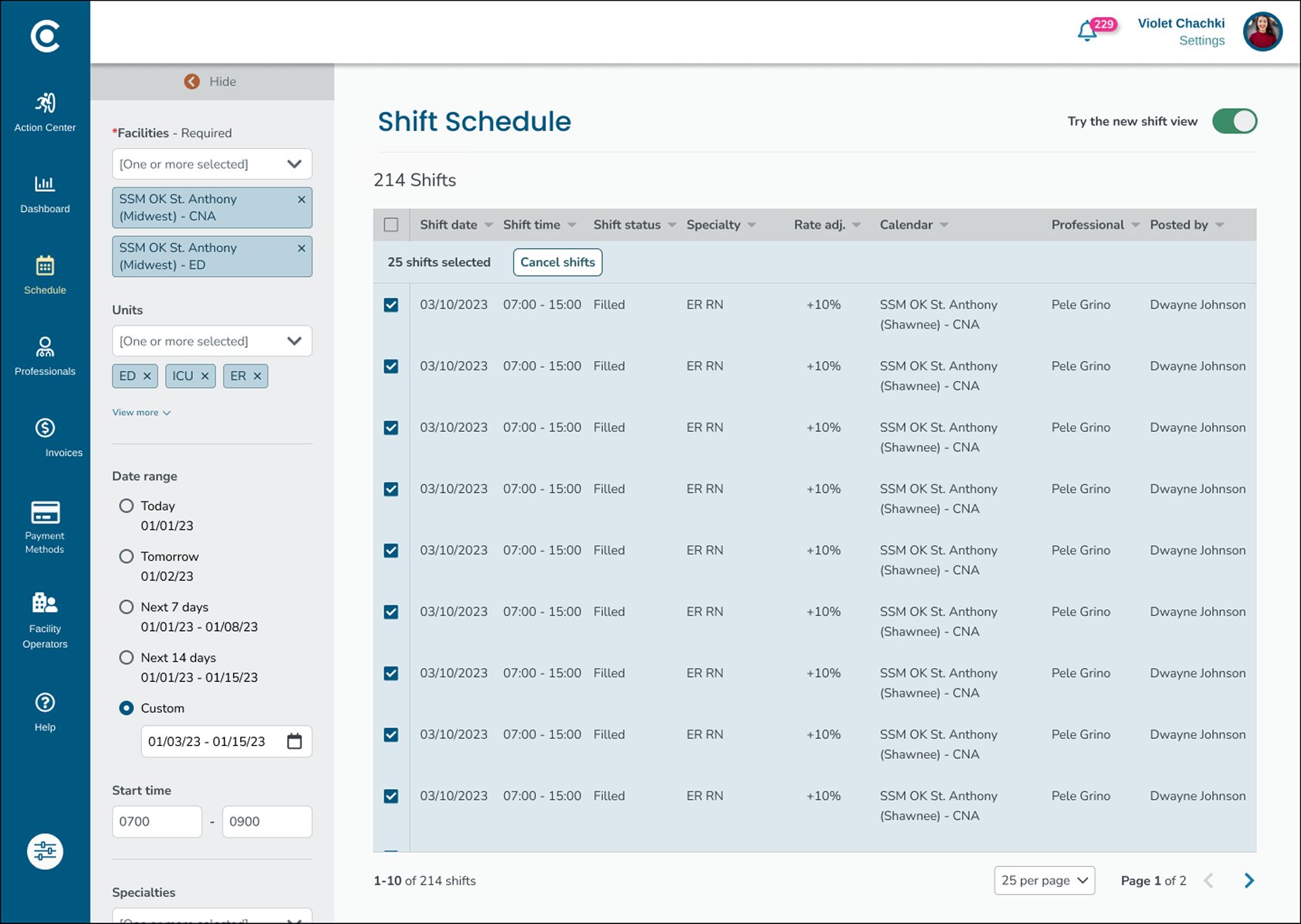
Hospital staffers and nurses were both navigating calendar views despite having two fundamentally different jobs: nurses browse, staffers execute. They need to find shifts and cancel them, fast.
Each calendar view surfaced only a fraction of the shift details staffers needed, and clicking into a shift meant leaving the page entirely. I collapsed the three views into one.
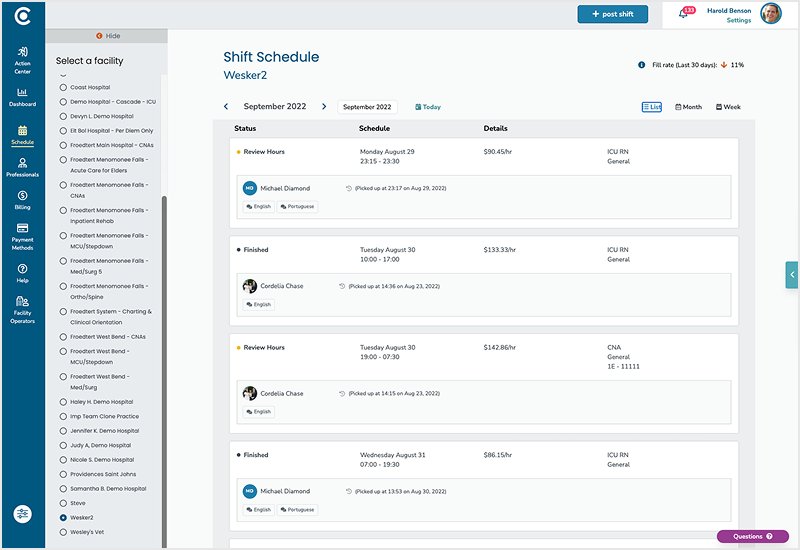
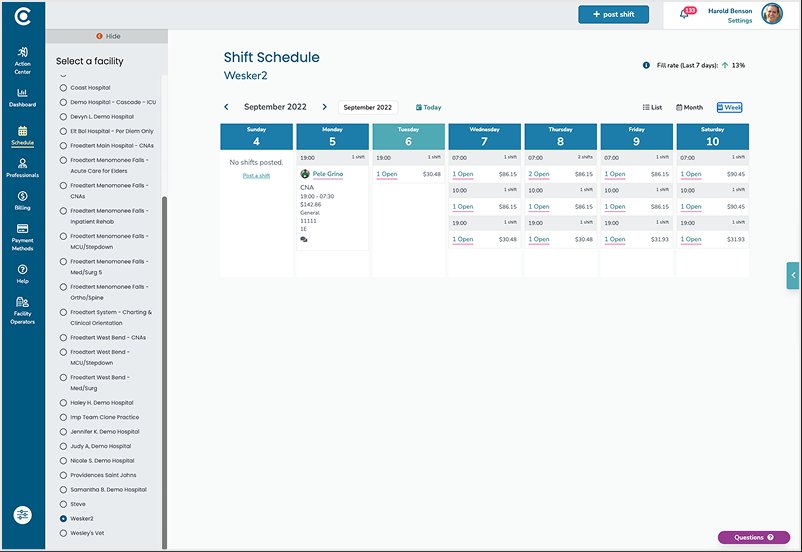
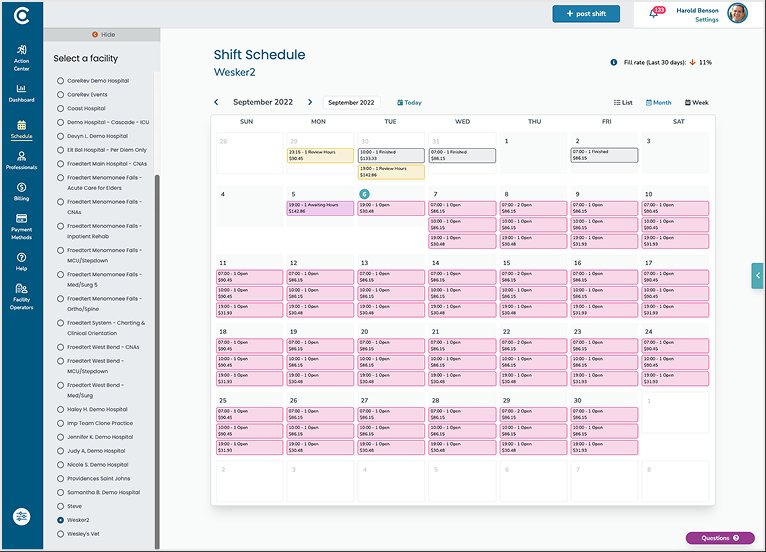
I borrowed the bulk action pattern from Gmail. Check the rows you want, and the action appears at the top of the table.
Bulk cancellation was the first action shipped, but I designed the view to handle single-shift edits and bulk edits too.
The top four shipped in v1: Facilities, Date, Unit, Specialties.
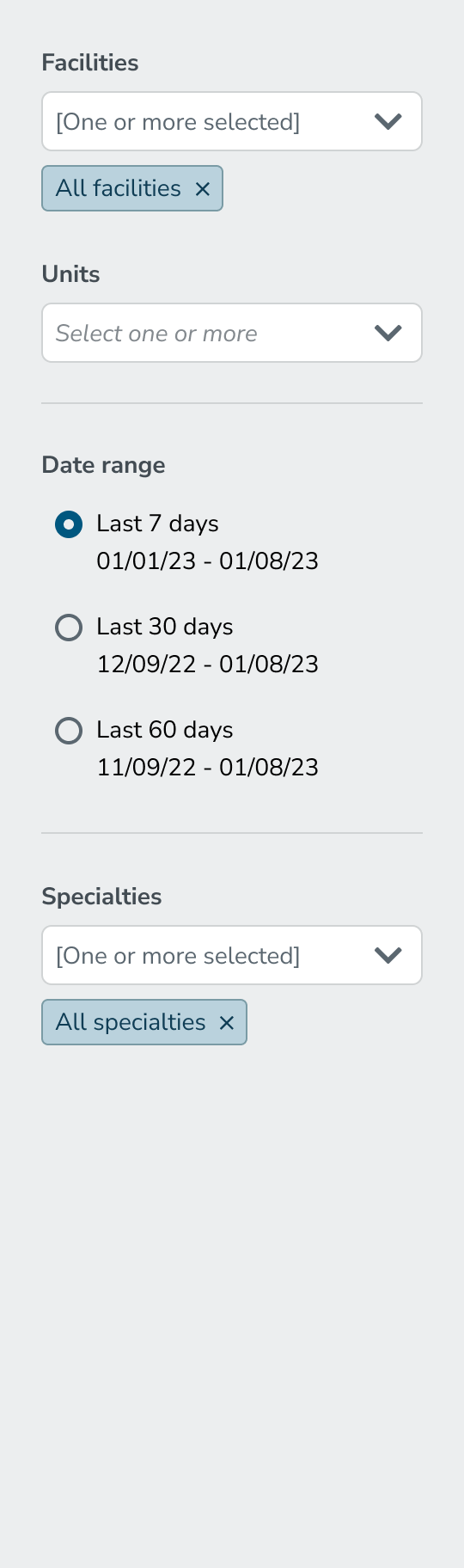

The other seven sat in the backlog, ordered by the same ranking.
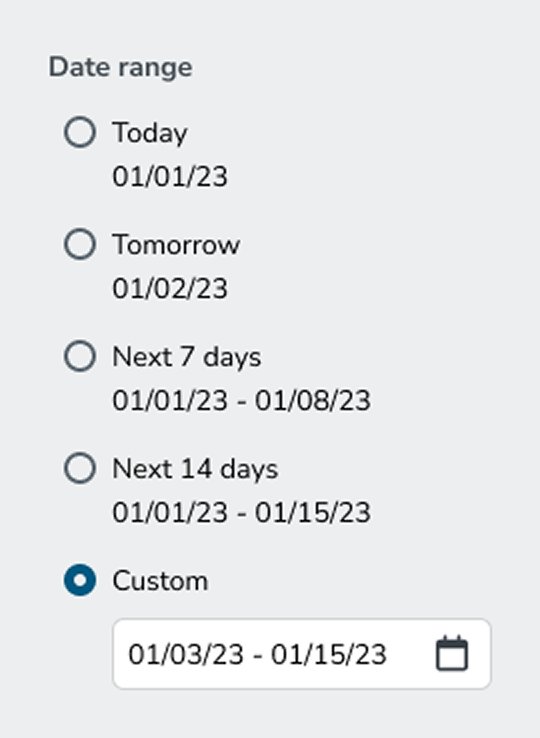
Staffers told me that canceling shifts is based on predictable operational windows: Today, Tomorrow, Next 7 Days, Next 14 Days.
Instead of a standard date picker, I designed those windows in as shortcuts.
Instead of asking for help with bulk shift cancellations, customers were asking when they'd be able to access the new tool.